Dates Overview
No more struggling with making report formulas for complex date groupings. No more need to change the date every day to get the latest reports. DataSelf's server-side SQL data warehouse has many pre-configured options for handling date reporting needs. The most popular options are included in the DataSelf Web Server's Data Sources, out of the box.
But in the interest of keeping the data sources lean and simpler to learn and use, not all of the date options are in the out of the box templates. There are more options, already available in SQL, ready to be added to the data source. And the flexible DataSelf structure makes other variations and date reporting modifications quick and easy.
Who should use this guide?
Report creators: Challenged by a date requirement? Check out what is available here - your need may already be answered.
DataSelf Back-end Technicians: Depending on your familiarity with working with the DatSelf SQL views, this guide may be all you need to know.
For more help, see Publishing Data Sources and/or contact support@DataSelf.com.
Date Hierarchies
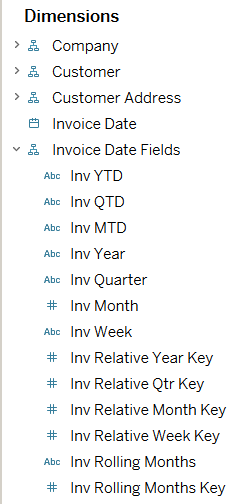
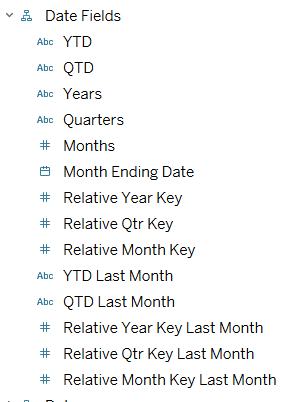
The out of the box data sources have the main dates as stand-alone attributes, followed by a hierarchy of other date attributes to make filtering, reporting, and date-based calculations easier.
For data sources with multiple dates, the date attributes are prefixed with a designator.
Within a hierarchy, any attribute can be added to the rows or columns of a report. From there, the user can drill down into the lower attributes. As such, adding Inv Date to the view will allow the user to drill down to Inv Quarter, etc. This is especially valuable for fiscal years that do not use calendar months, in which case the natural date drilldowns will not work.