Publish the Extract


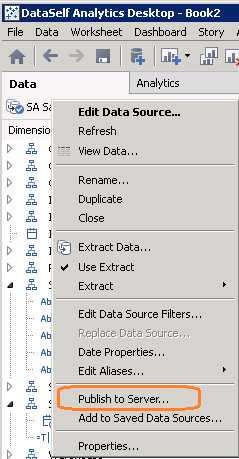
1. In the Data menu for this data source, Publish to server...
2. (You may be asked to log in to the Web Server)
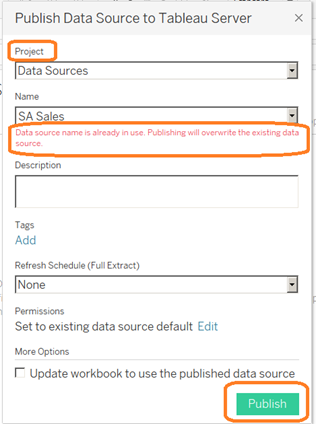
3. Select the Project
4. For modifications of previously-published data sources, be sure it gives the overwrite warning. That means you are in the right place!
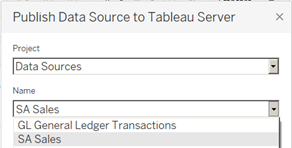
5. If necessary, pull open the Name list and select the correct one.
6. Publish. You will get a message when the data source has been successfully published.
Yes, the user permissions can be set as the data source is being published. But the interface is easier to understand in the Web Server.