Create the Extract


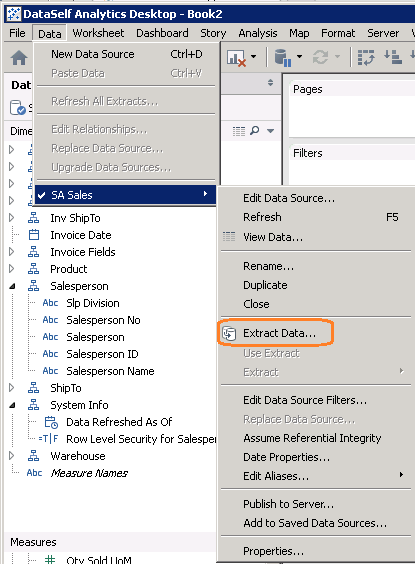
1. From the Data menu for this data source, select Extract Data...
2. Click Extract.
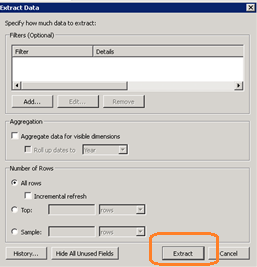
3. Allow it to save the tde file to the C:\Users\Username\Documents\My Tableau Repository\Datasources folder. It does not matter what the file name is. This is a throw-away file.
4. (OPTIONAL) Add any changes you need to make on top of the extract, such as adding row level security or a parameter and the parameter-based formulas should be made now, before you publish.
 After:
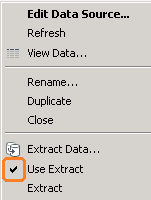
To revert to the live, unextracted data source, in the Edit Data Source menu uncheck Use Extract.
The tde file (Tableau Data Extract) accomplishes two goals:
In fact, the tde file you just created can be used as a stand-alone data source (to be used with DataSelf Desktop) on machines that do not have access to the live data.
But the tde file does NOT contain the SQL connection information that would allow itself to be refreshed with the latest data. So the tde file that is now written to the hard drive is useless to our purposes, except as a necessary intermediate step. It is a throw-away file.
On the other hand, DataSelf Desktop does have the SQL connection information, and now also has the extract configuration and data in memory. It is this combination that we want to publish to Web Server: the extract AND the SQL location that will allow us to refresh it later. Thus, you always need to have a freshly-created extract in Desktop before publishing to Web Server.