Last Month
Some reports are run as of the end of last month, and with a YTD as of the end of last month. At the start of a new year, you still want to see last year's reporting, and not have it roll over to the new year until after the first month in the new year.
Report creators:
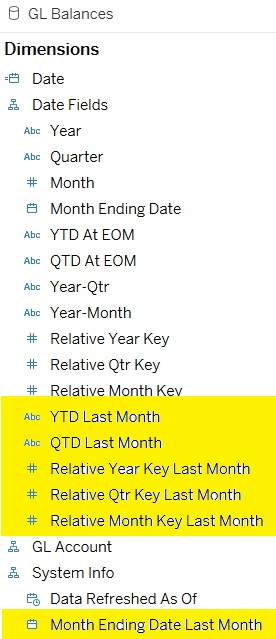
Use Last Month dates attributes for this reporting in the same way you would the regular relative date fields. But in this case, all the relative dates are relative to the last day of last month (not relative to today). So to filter for last month (or the quarter or year that last month belonged to) choose Relative Key = 0.
Tip:
Add the Month Ending Date Last Month value to the title of the report or dashboard:
- In a view's title: drag it to the Detail box and then insert it into the view's title.
- In a Dashboard: Add it to the column of a dedicated view, then include that view in the dashboard.