Save the Data Source Template


Save the data source template (tds file), overwriting the original.
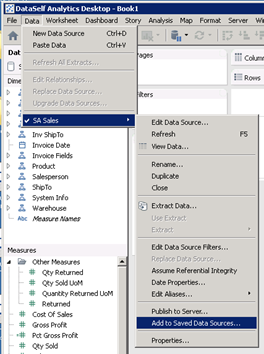
(or right-click on the data source name itself to access the same menu:)
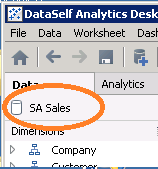
2. Check the path! The path defaults to the same folder that you last saved to, not to the folder you opened the data source from. Change the location as needed. You should see the data source name and your backup.
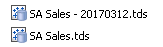
3. (You did make a date-versioned backup before you started, right? If not, make one now, without closing DataSelf Desktop. The file can be copied even while in use.)
4. Save the data source. Unless you are adding a new data source, it will ask permission to overwrite the original.