Turbocharge Power BI to Expedite and Simplify Advanced Analytics
 Power BI is one of the most widely adopted business intelligence tools in the world – and for good reason. It’s flexible, powerful, and fully integrated within the Microsoft ecosystem. But while Power BI makes it easy to visualize data, turning that data into meaningful analytics that are insightful and reliable is another story.
If your Power BI reports and dashboards fall short of your expectations, don’t blame Power BI – because the truth is that it is only one part of a holistic business intelligence initiative.
End-to-end business intelligence requires more than just data visualization. It requires three essential and complementary components:
- Data optimization
- Automated data modeling
- Libraries of preconfigured reports & dashboards with critical KPIs
Power BI Essential #1: Data Optimization
Power BI excels at interrogating and visualizing data — but if the quality of that data is suspect, so too will be the visualized output. Power BI doesn’t fix issues of data quality, and so many organizations that jump into Power BI expecting instant clarity end up with:
- Reports that take hours to run.
- Metrics that don’t match across multiple analytics.
- Expensive & time-consuming analysts to clean “dirty” data.
The answer lies in ETL – the engine behind quality data. ETL (Extract, Transform, and Load) cleans and optimizes your data before it gets to Power BI. ETL pulls data from multiple sources, cleans and optimizes it, and loads it into a highly-efficient SQL data warehouse.
This process removes erroneous, inconsistent, or extraneous data, ensuring that reports run quickly, metrics are consistent, and insight is crystal-clear.
Power BI Essential #2: Automated Data Modeling
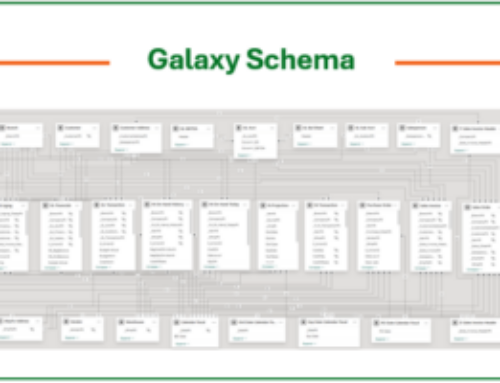
The aspect of business intelligence that surprises most people is the time and effort that’s spent “modeling” their datasets. Data modeling starts with a thorough understanding of an application’s “schema”. It’s followed by the laborious – and manual – process of defining data fields, field relationships, calculated metrics, and other KPIs. Data modeling typically weeks of work and requires the skills of data analysts.
The solution to this is automated data modeling. Using the standing modeling approach of dimension, fact, and time (“DFT”), the automation of this process cuts the standard BI implementation time down from weeks (often months) to just a few days. Automated DFT uses AI to determine common data elements – such as customers, sales, and items — figure out data relationships and hierarchies, and auto-build the corresponding metrics.
With this automation, Power BI reports and dashboards become exponentially faster to build, easier to maintain, and more insightful than ever before.
Power BI Essentials #3: AI Assist a Must-Have
If you took an average-sized ERP implementation and decided to tackle the previously-discussed ETL and DFT processes manually, you’d be looking at a timeframe in terms of weeks and – if outsourced – an expense in the region of thousands. That’s why it’s essential that both of these processes be executed with a very large assist from artificial intelligence.
AI is the engine that drives over 90% of ETL and DFT. In areas such as ERP and CRM this is especially true as there is no “one size fits all” application, and non-AI automation simply can’t handle the many vagaries there are in database designs, field relationships, and application workflow. AI automation introduces the abilities of deduction, determination, and rationalization. Based on countless sources of data (and historical precedent), AI can logically deduce what’s best when it comes to extracting and optimizing data, and which metrics are more appropriate for one business versus another.
AI processes inside Power BI aren’t a nice-to-have; they are a necessity.
Power BI Essential #4: Libraries of Preconfigured Reports, Dashboards, & KPIs
When you combine a powerful data visualization tool like Power BI with optimized datasets and expedited data modeling, the only thing that’s left is to design, test, and customize the reports and dashboards that are required to deliver needed insight.
But exactly what is it that you want to measure? Which metrics are needed, and which are not? Where do you need a dashboard versus a report? Where do you need drill-down or ‘slice-and-dice’? And – what about graphics — such as bar charts, line charts, or geographical distributions?
It’s not an exaggeration to say that this last step of a BI implementation is often the hardest and most time-consuming one.
Fortunately, this aspect of assembling an effective BI ecosystem is addressable.
Instead of designing, testing, and customizing these reports yourself, look for pre-configured libraries of those reports and dashboards.
And when it comes to such report collections, bigger is definitely better. If there are specific metrics, KPIs and analytics that your organization needs, you’ll have a better chance of finding them in a library of thousands of reports than just a few hundred.
The time and effort that you’ll save – along with the alleviation of the age-old question “what to measure?” makes the requirement for preconfigured reports essential and enables their insight to be realized on day #1.
Power BI + DataSelf = Scalable, Reliable, and Fast BI
When Power BI is combined with DataSelf’s ETL+, automated DFT modeling, and prebuilt dashboards, you get:
- Clean, trustworthy data
- Rapid deployment and reduced costs
- Deeper analytics without complexity
- Dashboards that empower decision-making company-wide
Power BI is an incredible visualization tool — and, supercharged with DataSelf, becomes the heart of a true business intelligence ecosystem.
See What Power BI Can Really Do
Don’t settle for slow reports or inconsistent data. Discover how DataSelf helps companies like yours unlock Power BI’s full potential through automation, optimization, and prebuilt analytics.